


Brave Private Web Browser, VPN
4.795.75K Reviews
App Specs
- Version
- 1.92.144
- Updated On
- License
- Free
- Downloads
- 100,000,000+
- Developer
- Brave Software
- Categories
- Communication
- Platform
- Android, iOS
Screenshots
 Analysis by AppCompare
I spend a lot of time opening links from messages, checking directions, and looking up everyday questions on my phone. For that kind of browsing, I want pages to feel uncluttered without having to tune a dozen settings first. Brave Private Web Browser, VPN is aimed at that practical need: it combines a mobile browser with privacy tools, while keeping the familiar basics of searching and visiting websites straightforward.
How Brave fits into everyday browsing
Brave is a communication app from Brave Software, and its current state reflects a browser designed to make ad and tracker blocking part of ordinary use rather than a separate add-on project. It is free to install and has an Everyone age rating. The app has a 4.7 average from around 3.1 million ratings, with over 100 million installs, so it has become a widely used alternative to the browsers many people already have on their phones.
That popularity does not mean it will suit every browsing habit. I find the appeal clearest when I want to open a page quickly, read without as much advertising clutter, and avoid installing several separate privacy tools. If you mainly use a browser for work sites that depend on detailed tracking, sign-ins, or unusual page behavior, you may need to adjust protections for specific sites rather than assume every page will behave exactly as it does elsewhere.
Setup and the first useful choices
Setting up the Brave Private Web Browser, VPN was a breeze. I downloaded it from the app store, and within minutes, I was up and running. The interface is super clean and intuitive, which is a breath of fresh air compared to some cluttered browsers out there. It feels like they really focused on user experience, and it shows.
Once it is installed, I recommend treating the first session as a small trial rather than immediately moving every saved habit into it. Open a few sites you use regularly: a news page, a shopping page, and a service that requires a login. That quick check helps reveal whether Brave’s blocking changes a page’s layout or affects a feature you rely on. If something does not work, the sensible response is to inspect the protection setting for that site, not to abandon privacy controls everywhere.
The app is listed at version 1.85.117, and it was released on October 12, 2016. Those details establish that this is an established product with a current version, but a version label alone does not tell me how every change affects a particular phone or website. For an existing user, the practical test is whether familiar pages still work after an update and whether any settings have changed in a way that matters to their routine.
Blocking helps, but it can change a page
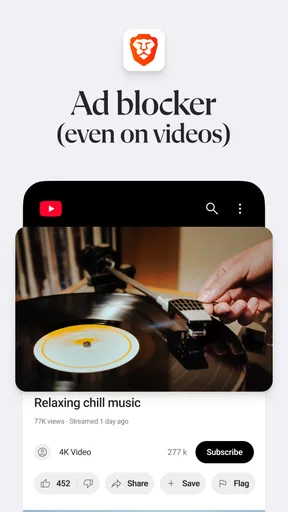
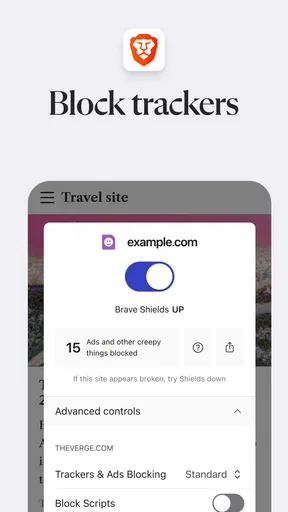
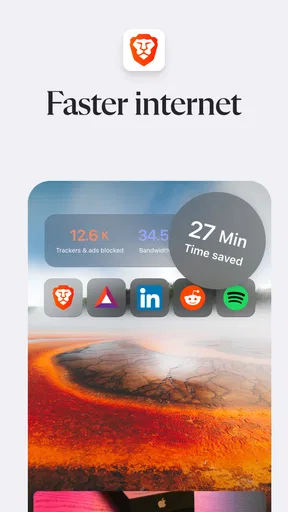
One of the main reasons folks are drawn to Brave is because of its privacy-first approach. The browser automatically blocks trackers and ads, so you can say goodbye to those annoying pop-ups. I love that I don’t have to mess around with settings to get this protection—it’s all done for me.
Worth Reading Before You Choose

Flipboard Shows What News Apps Must Do Beyond the Feed

Switching to Android Auto Means Rethinking Your Driving Routine

Google Calendar Makes a Crowded Week Easier to Manage

Ludo King Makes the Most of the Minutes Between Plans

Baby Panda World Brings Quick Play to Modern Phones, but Its Game Library Feels Busy

ESPN’s Live Game View Makes Following Close Games Easier
There is a useful trade-off behind that convenience. Ad and tracker blocking can make a page feel calmer, but websites do not all respond to it in the same way. A page may load normally while a particular embedded feature, sign-in prompt, or video fails to appear. When that happens, I would first check whether the site needs a more permissive setting, then restore stronger blocking after finishing the task. That is more controlled than turning protection off as a general fix.
A good everyday example is opening a link to a recipe in a group chat while standing in a grocery aisle. I can read the ingredients without wading through as much promotional clutter, then switch back to the message app to check what I still need. For shopping research, though, I would compare the final price and delivery details directly on the retailer’s page; a cleaner page is convenient, but it does not replace checking the terms of a purchase.
VPN use and the limits of a privacy promise
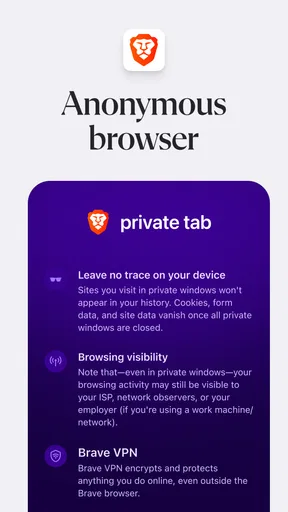
The built-in VPN is another gem. It’s straightforward to use and doesn’t require any additional downloads. Just a couple of taps, and you’re browsing anonymously. It’s perfect for when you’re on public Wi-Fi and want to keep your data safe.
I would be more careful with the word “anonymously” than that description suggests. A VPN can change how a connection is routed, but it should not be treated as a guarantee that a person cannot be identified or tracked. Accounts, cookies, and information entered into a website can still connect browsing activity to you. I see the VPN as one privacy layer for suitable situations, not a replacement for careful sign-in habits or a promise of invisibility.
For example, if I need to check a booking or send a message while connected to public Wi-Fi, I would use the browser’s available privacy tools and still make sure I am on the genuine service before entering credentials. If I am handling sensitive work, I would follow my organization’s rules and use its approved connection tools instead. The built-in option is more convenient than finding and configuring a separate app, but convenience does not make every network task risk-free.
Speed, battery, and real-world exceptions
I was pleasantly surprised by how fast this browser is. Without the ads and trackers slowing things down, pages load super quickly. It’s like browsing on turbo mode. Plus, it uses less battery compared to other browsers, which is a win-win in my book.
In practice, I would judge speed by the pages I actually visit, since network quality, heavy site design, and a phone’s condition all affect loading. Blocking unwanted page elements can make browsing feel less busy, but a slow connection or a demanding website can still take time. I also would not assume battery use will always be lower for every person; long video sessions, many open tabs, or background activity can change the result.
One helpful habit is to close tabs that were opened for one-off searches instead of keeping a long trail of them around. It makes it easier to return to the pages I care about and reduces the chance that a crowded session becomes hard to manage. For research that requires comparing several pages, I keep only the useful results open and save or share the rest as needed. That workflow matters more to me than chasing a general claim about speed.
Extras, and what they mean for most people
Apart from the privacy features, Brave has some pretty cool extras. There’s a built-in crypto wallet for those of you dabbling in digital currencies. And for the environmentally conscious, the browser even has a feature that estimates how much CO2 emissions you’ve saved by blocking ads. Pretty neat, right?
These additions are not reasons everyone needs to choose the browser. I would treat the wallet as a specialized tool for someone who already understands why they want one, rather than something to explore casually with funds or unfamiliar assets. Likewise, an estimate of avoided emissions can make ad blocking more tangible, but it is an estimate, not a personal measurement of the exact environmental effect of each browsing session.
Another thing I appreciate is the rewards system. You can earn tokens by simply using the browser, which you can then tip to your favorite content creators. It’s a nice way to support the sites you love without compromising on privacy.
That system will matter most to people who want to engage with it and are comfortable learning how its rewards and tipping work. If you simply want to browse, you can focus on the browser itself and ignore features that do not fit your needs. I would not install it expecting rewards to replace subscriptions, donations, or other ways of supporting publishers; the useful question is whether the tools match your own habits.
Choosing it over a familiar browser
Compared with the browser that comes preinstalled on a phone, Brave’s clearest distinction is that ad and tracker blocking is central to the experience rather than something I would have to assemble through separate extensions or settings. That can make it a good fit for someone who wants a quieter default. A mainstream browser may still be the better choice if its close integration with a device, account, or work setup is more important than built-in blocking.
Compared with a privacy-focused browser that does not bundle the same combination of tools, Brave may reduce the number of apps I need for routine browsing. On the other hand, someone who wants the narrowest possible set of features may prefer a simpler browser, and someone who depends on a particular browser ecosystem may not want to migrate bookmarks, passwords, or habits. I would try Brave alongside an existing browser first, then decide based on the sites and workflows that actually matter.
Brave is free to download, while in-app purchases are offered at prices ranging from $9.99 to $149.99 per item. That makes it worth checking the purchase screen before selecting any paid option: installing the browser does not mean every additional service or feature is included at no cost. If you only want its basic browsing experience, start there and consider a purchase only if you understand what it provides and expect to use it.
Who will get the most from it
I would recommend trying Brave if you browse the open web often, dislike ad-heavy pages, and want privacy controls available without piecing together several tools. It is especially practical for people who move between links in chats, quick searches, and everyday reading. Its blend of a familiar browser and optional extras also gives curious users room to explore, provided they do not mistake every feature for something they need.
I would hesitate to make it my only browser if I relied on sites that routinely break under content blocking, needed a tightly managed work browser, or preferred a minimal app with no additional tools to learn. In those cases, keeping a second browser for troublesome pages can be a reasonable compromise. That does not erase the value of Brave for ordinary browsing; it simply recognizes that the most private default is not always the most compatible one for every task.
What to watch as you keep using it
For existing users, I would focus on changes that affect daily routines rather than expecting a version number to explain the whole product’s evolution. After an update, check a few important sites, confirm that the privacy settings still match your preference, and review any optional service before using it. This is a low-effort way to catch friction early without turning browser maintenance into a project.
The broader thing to watch is how comfortably Brave balances its core browsing job with the extra tools around it. If the interface stays easy to understand and the blocking remains manageable on the sites I use, I see a clear reason to keep it. If a future change makes essential pages harder to use or adds complexity I do not want, I would reassess rather than stay out of habit.
My take after weighing the trade-offs
Overall, I’m really digging the Brave Private Web Browser, VPN. It’s fast, secure, and respects my privacy—what more could you want? If you’re tired of being tracked online and crave a no-nonsense browsing experience, give this app a shot. You might just find yourself wondering how you ever surfed the web without it.
My recommendation comes with one practical qualification: give it a fair trial on the websites you depend on, and remember that blocking and VPN tools reduce some exposure but do not make every online activity private by themselves. If that balance suits you, Brave is an easy browser to keep in your daily rotation. If compatibility or an established account ecosystem matters more, your current browser may remain the better main option.
Pros
- Fast browsing with built-in ad blocker.
- Enhanced privacy with default VPN feature.
- Earn rewards with Brave's unique token system.
- User-friendly interface with intuitive design.
- Supports cross-platform data synchronization.
Cons
- Limited VPN locations compared to standalone apps.
- Occasional website compatibility issues.
- Higher battery usage with VPN enabled.
- Fewer extensions than other browsers.
- Some features locked behind paywall.
FAQs for Brave Private Web Browser, VPN
What is the main purpose of the Brave Private Web Browser, VPN app?
The Brave Private Web Browser, VPN app is designed to provide users with a fast, secure, and private browsing experience. It blocks unwanted ads and trackers while ensuring your online activities remain private. With integrated VPN services, it enhances privacy and security by encrypting your internet connection, making it ideal for users seeking to protect their data.
How does the Brave browser ensure user privacy and security?
Brave browser prioritizes user privacy by blocking third-party ads and trackers automatically. It employs HTTPS Everywhere to secure connections and offers a built-in VPN to encrypt your data. Additionally, Brave doesn’t store user data on its servers, providing a robust layer of privacy. Users can also take advantage of incognito mode for an extra layer of anonymity.
Can I use the Brave VPN on all my devices simultaneously?
Yes, the Brave VPN can be used on multiple devices, depending on your subscription plan. It offers cross-platform compatibility, allowing you to secure your browsing experience on both Android and iOS devices. However, it’s important to check the specific details of the subscription plan to understand the number of simultaneous connections allowed.
Are there any costs associated with using the Brave browser's features?
The Brave browser itself is free to download and use, including its ad-blocking and privacy features. However, the integrated VPN service may require a subscription for full access. Users looking to utilize the VPN should check for any associated costs and subscription options available within the app.
What sets Brave apart from other private browsers available?
Brave differentiates itself with its unique combination of privacy features, speed, and user rewards. It blocks ads and trackers by default, offers a built-in VPN, and utilizes the Basic Attention Token (BAT) system to reward users for viewing privacy-respecting ads. This blend of privacy, security, and user-centric incentives makes it a standout choice among private browsers.


